 # Quable Developer Hub
**Build, integrate, and automate with Quable PIM & DAM.**
Everything you need — REST API, GraphQL, webhooks, connectors, and app development.
[:icon-rocket: Get started with the API](/quable-api/get-started/) [:icon-comment-discussion: Contact us](/contact-us.md)
---
## :icon-package: Quable Apps
Ready-to-use apps to connect Quable with your favorite tools.
||| **[:icon-globe: Shopify Connector](/quable-app/shopify/)** [!badge variant="success" text="POPULAR"]
# Quable Developer Hub
**Build, integrate, and automate with Quable PIM & DAM.**
Everything you need — REST API, GraphQL, webhooks, connectors, and app development.
[:icon-rocket: Get started with the API](/quable-api/get-started/) [:icon-comment-discussion: Contact us](/contact-us.md)
---
## :icon-package: Quable Apps
Ready-to-use apps to connect Quable with your favorite tools.
||| **[:icon-globe: Shopify Connector](/quable-app/shopify/)** [!badge variant="success" text="POPULAR"]
 Sync your Quable product catalog to Shopify — products, variants, assets, metafields, and more.
- [:icon-rocket: Getting started](/quable-app/shopify/)
- [:icon-file: Product information](/quable-app/shopify-product-information/)
- [:icon-tools: Troubleshooting](/quable-app/shopify/troubleshooting/)
- [:icon-question: FAQ](/quable-app/shopify/faq/)
||| **[:icon-file: CraftMyPDF](/quable-app/print/craftmypdf/)**
Sync your Quable product catalog to Shopify — products, variants, assets, metafields, and more.
- [:icon-rocket: Getting started](/quable-app/shopify/)
- [:icon-file: Product information](/quable-app/shopify-product-information/)
- [:icon-tools: Troubleshooting](/quable-app/shopify/troubleshooting/)
- [:icon-question: FAQ](/quable-app/shopify/faq/)
||| **[:icon-file: CraftMyPDF](/quable-app/print/craftmypdf/)**
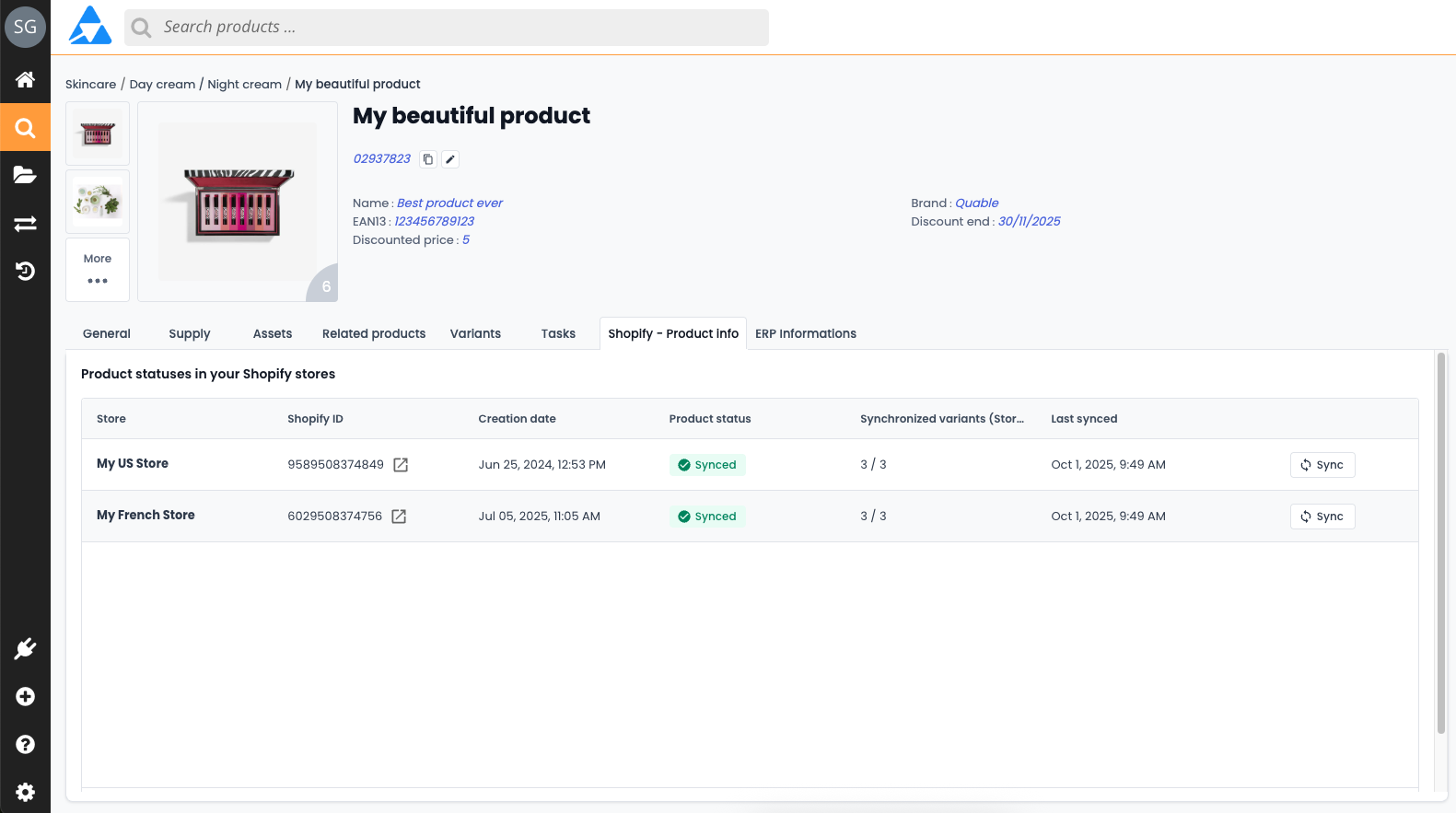 Generate beautiful PDF product sheets directly from Quable using CraftMyPDF templates.
- [:icon-light-bulb: Discover](/quable-app/print/craftmypdf/)
|||
---
## :icon-plug: APIs
Connect your systems and retrieve your product data programmatically.
||| **[:icon-server: REST API](/quable-api/get-started/)**
Generate beautiful PDF product sheets directly from Quable using CraftMyPDF templates.
- [:icon-light-bulb: Discover](/quable-app/print/craftmypdf/)
|||
---
## :icon-plug: APIs
Connect your systems and retrieve your product data programmatically.
||| **[:icon-server: REST API](/quable-api/get-started/)**
 The primary integration layer. Read, create, update and delete any Quable resource.
- [:icon-key: Authentication](/quable-api/authentication/)
- [:icon-workflow: Architecture](/quable-api/api-architecture/)
- [:icon-list-ordered: HTTP codes](/quable-api/http-response-code)
- [:icon-code-square: API Reference](/quable-api/api-reference/)
||| **[:icon-zap: GraphQL API](/quable-api/api-graphql/)** [!badge variant="success" text="NEW"]
The primary integration layer. Read, create, update and delete any Quable resource.
- [:icon-key: Authentication](/quable-api/authentication/)
- [:icon-workflow: Architecture](/quable-api/api-architecture/)
- [:icon-list-ordered: HTTP codes](/quable-api/http-response-code)
- [:icon-code-square: API Reference](/quable-api/api-reference/)
||| **[:icon-zap: GraphQL API](/quable-api/api-graphql/)** [!badge variant="success" text="NEW"]
 Request exactly the data you need — nothing more, nothing less.
- [:icon-light-bulb: Discover](/quable-api/api-graphql/)
- [:icon-book: Use cases](/quable-api/api-graphql/use-cases/)
- [:icon-package: Postman guide](/quable-api/api-graphql/postman/)
|||
---
## :icon-tools: Developer tools
Explore, test and experiment with our APIs.
||| **[:icon-beaker: Postman workspace](/postman-collection/)**
Request exactly the data you need — nothing more, nothing less.
- [:icon-light-bulb: Discover](/quable-api/api-graphql/)
- [:icon-book: Use cases](/quable-api/api-graphql/use-cases/)
- [:icon-package: Postman guide](/quable-api/api-graphql/postman/)
|||
---
## :icon-tools: Developer tools
Explore, test and experiment with our APIs.
||| **[:icon-beaker: Postman workspace](/postman-collection/)**
 Browse all Quable APIs and test them directly via our official Postman collections.
||| **[:icon-mark-github: GitHub examples](https://github.com/quable/developers.quable.io_public)**
Browse all Quable APIs and test them directly via our official Postman collections.
||| **[:icon-mark-github: GitHub examples](https://github.com/quable/developers.quable.io_public)**
 Full code examples and reference implementations on our public repository.
||| **[:icon-git-merge: Webhooks](/webhooks/notifications/)**
Full code examples and reference implementations on our public repository.
||| **[:icon-git-merge: Webhooks](/webhooks/notifications/)**
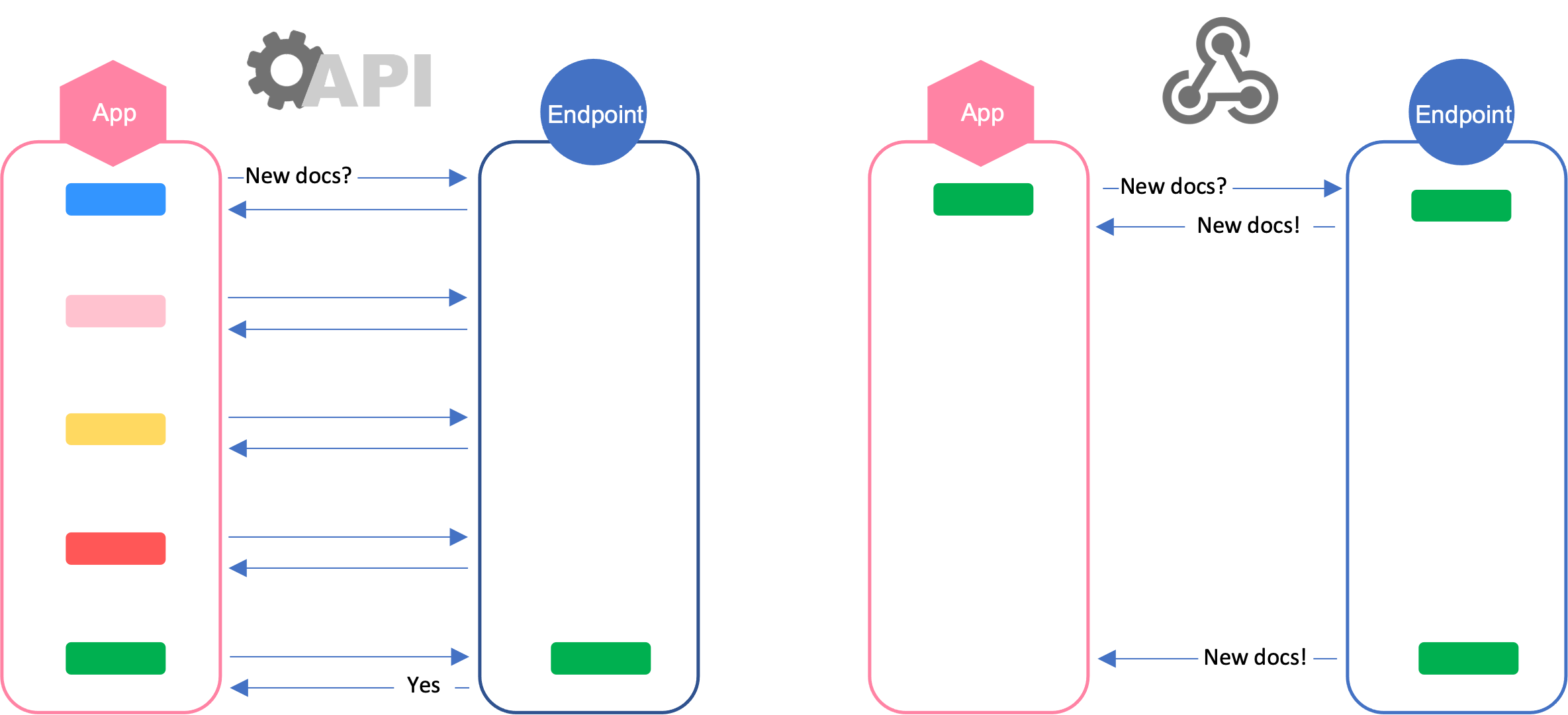 React to Quable events in real time — product updates, asset changes, and more.
|||
---
## :icon-apps: Integrations & ecosystem
Extend Quable with no-code automation and native connectors.
||| **[:icon-columns: Make.com](/quable-app/automation/make.com/)**
Build powerful automation scenarios with the official Quable Make module — no code required.
||| **[:icon-briefcase: Quable App Builder - SDK](/quable-ecosystem/build-quable-app/)**
Embed custom experiences directly inside the Quable PIM & DAM interface using our SDK.
||| **[:icon-book: Cookbooks](/quable-apps/tools/cookbooks/)**
Step-by-step recipes for common integration patterns — imports, exports, data sync, and more.
|||
---
!!!info Not a developer?
Visit the [:icon-question: FAQ](https://faq.quable.com/en/) or the [:icon-people: User documentation](https://docs.quable.com/v5-EN/docs) to learn how to use Quable PIM.
!!!
React to Quable events in real time — product updates, asset changes, and more.
|||
---
## :icon-apps: Integrations & ecosystem
Extend Quable with no-code automation and native connectors.
||| **[:icon-columns: Make.com](/quable-app/automation/make.com/)**
Build powerful automation scenarios with the official Quable Make module — no code required.
||| **[:icon-briefcase: Quable App Builder - SDK](/quable-ecosystem/build-quable-app/)**
Embed custom experiences directly inside the Quable PIM & DAM interface using our SDK.
||| **[:icon-book: Cookbooks](/quable-apps/tools/cookbooks/)**
Step-by-step recipes for common integration patterns — imports, exports, data sync, and more.
|||
---
!!!info Not a developer?
Visit the [:icon-question: FAQ](https://faq.quable.com/en/) or the [:icon-people: User documentation](https://docs.quable.com/v5-EN/docs) to learn how to use Quable PIM.
!!!