
API Authentication

--
--
--
--
--
Bearer Token Authentication
All Quable APIs use "Bearer Token Authentication"
Bearer token authentication is the way to authenticate to Quable APIs.
To use bearer token authentication, you first need to obtain a bearer token (see sections below).
Once you have a bearer token, you can use it to authenticate to the API by including it in the Authorization header of your requests.
The format of the Authorization header is:
Authorization: Bearer <bearer_token>Pros of bearer token authentication
Bearers token are easy to use, simple and scalable. They can also be used to authenticate to APIs with a large number of users.
Available tokens
You must have a user account in order to access the System -> API token menu.
Yet the token is not based on your account (it is not a user-based token).
You don't need to request a new token for each job execution
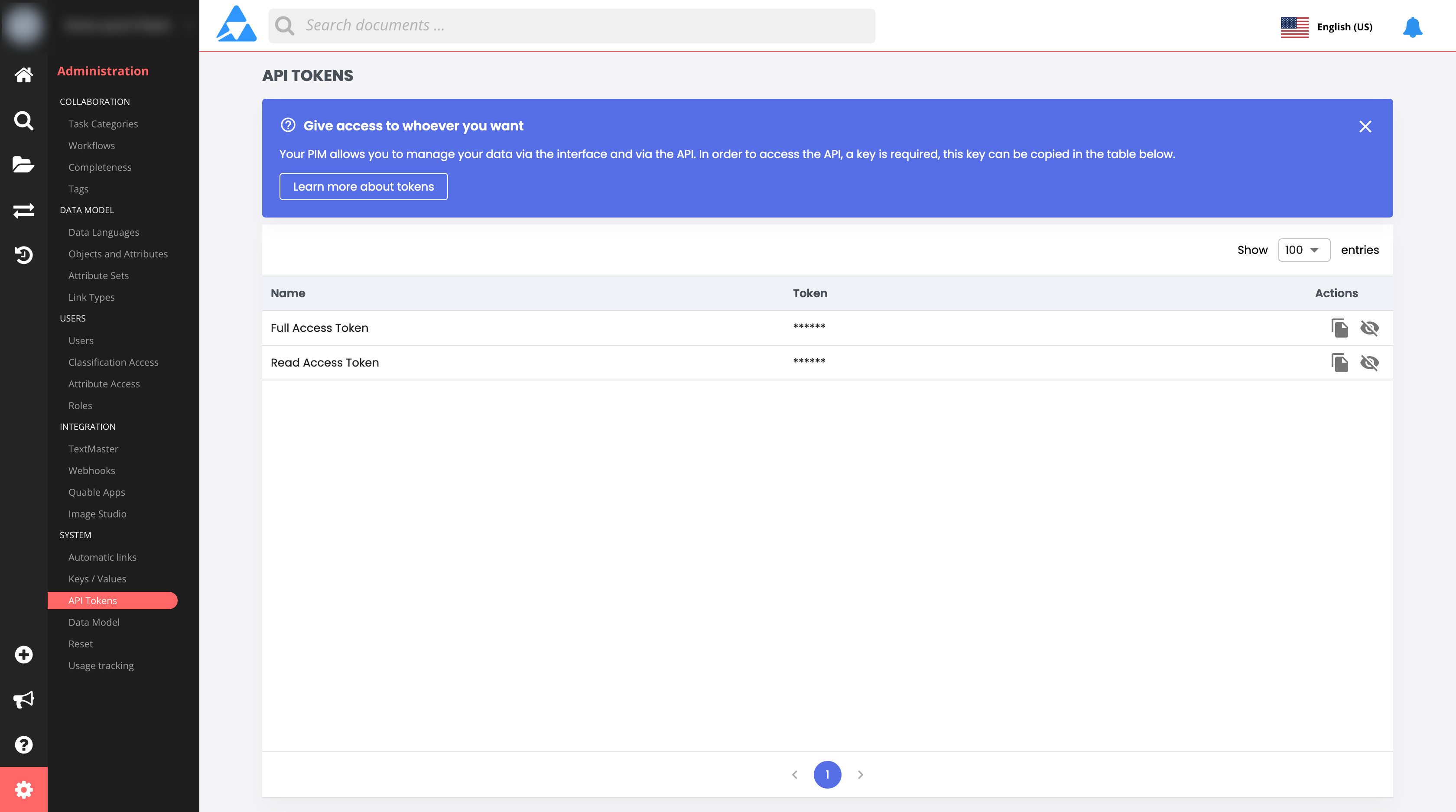
Full Access Token
This token give your script access to all APIs.
Read Access Token
This token give your script access to readable APIs. You can not add, edit or delete content.
Using a token
For example, the following request uses bearer token authentication:
GET /api/users HTTP/1.1
Authorization: Bearer eyJhbGciOiJIUzI1NiIsInR5cCI6IkpXVCJ9
The eyJhbGciOiJIUzI1NiIsInR5cCI6IkpXVCJ9 part of the Authorization header is the bearer token.
If the bearer token is valid, the API will grant access to the requested resource.
Otherwise, the API will return an error.
Example
The following example shows how to use bearer token authentication to access a protected API endpoint:
import requests

# Get the bearer token
bearer_token = "eyJhbGciOiJIUzI1NiIsInR5cCI6IkpXVCJ9.eyJzdWIiOjEsImlhdCI6MTY2OTY0NTI5Mn0.5972b80b4539088090722e9581967713"

# Make a request to the protected API endpoint
headers = {"Authorization": f"Bearer {bearer_token}"}
response = requests.get("https://api.example.com/users", headers=headers)

# Check the response status code
if response.status_code == 200:
    # The request was successful
    users = response.json()
else:
    # The request failed
    print(response.content)